The short answer
To appear in Google Maps in Dubai, verify and fully complete a free Google Business Profile, keep your name, address and phone identical everywhere, ask every real customer for a review and reply to all of them. Never buy or fake reviews.
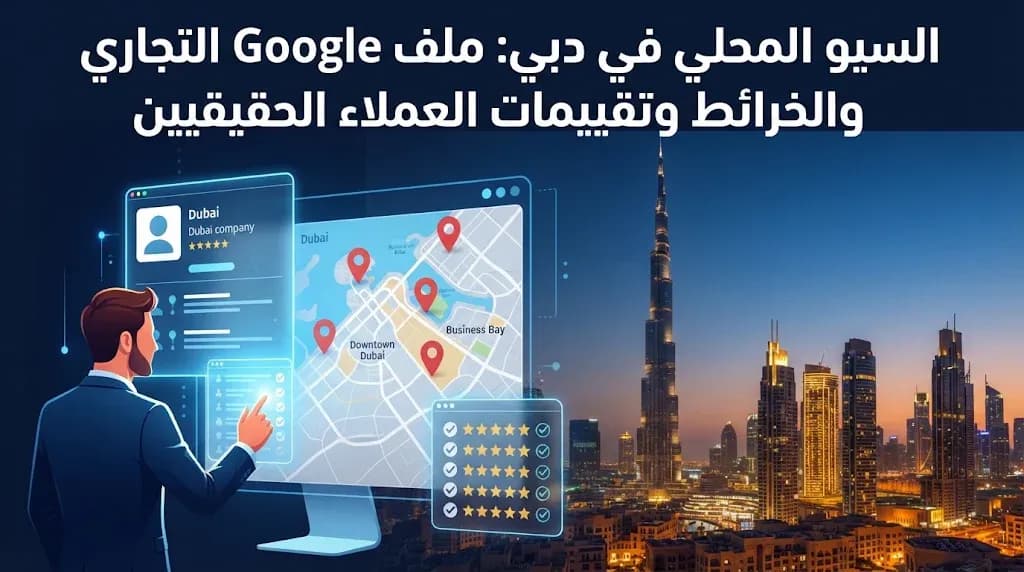
Why the map pack matters more than page one for local businesses
When someone in Dubai searches for a dentist, a car service centre or a bakery, Google usually shows a small map with three businesses before any ordinary website. Those three spots get the calls, the direction requests and the walk-ins. Getting into them does not require an ad budget. It requires a well-kept Google Business Profile, a website that backs it up and a steady flow of honest feedback from real customers.
Google decides who appears in that map using three broad signals. Relevance is how well your profile matches what the person typed. Distance is how far you are from the searcher or the area they named. Prominence is how well known and trusted your business looks across the web, including your reviews. You cannot move your shop closer to every customer, so the work goes into relevance and prominence.
Building a Google Business Profile that Google trusts
Google Business Profile is free to create. The real cost is the care you put into it. Treat each field as information a customer will rely on.
Name and category
Use the exact trading name on your licence and your signboard. Adding words like "best" or "Dubai Marina" to the name breaks Google's guidelines and can get the profile suspended. Pick the most specific primary category you can find, then add secondary categories only for services you genuinely provide.
Address, pin and service areas
Many UAE addresses are described by building, street and community rather than a street number, so be precise. Drag the pin to your actual entrance, and add the building name, floor and unit so visitors are not left calling for directions. If you visit customers at their homes or offices and do not receive them at your premises, hide the address and list the areas you cover instead.
Verification and the rest of the details
A profile is not fully visible until it is verified. Google chooses the method, and it can include recording a short video that shows your signage, premises and proof that you operate there, so have that ready before you start. Then complete everything else: opening hours (with special hours for Ramadan, Eid and public holidays), a phone number that someone actually answers, a link to the most relevant page of your website, your services and a clear description written for people, not for keywords. Each branch that serves customers in person needs its own profile, linked to its own branch page.
Photos and updates
Upload real photos of your shopfront, entrance, team and work. A clear picture of the entrance and sign helps people find you in a busy tower or mall. Stock images add nothing. Short posts about offers, new services or seasonal hours show both customers and Google that the business is active.
Real customer reviews: the only kind worth having
Reviews are one of the strongest trust signals a local business has, for customers and for Google alike. That is exactly why shortcuts are dangerous. Buying reviews, writing them on behalf of customers, asking staff or relatives to post them, or offering a discount in exchange for a rating all break Google's policies. Google can remove those reviews, restrict the profile and show a warning to visitors. And customers can usually tell when a page is full of thin, identical five-star praise.
How to ask the right way
Ask every customer, not just the ones you expect to be happy. Picking only satisfied customers is also against the rules.
Send your direct review link by WhatsApp, SMS or on the receipt, right after the service is done.
Put a QR code at the counter or on the invoice.
Make it part of daily work, not a one-week campaign. A steady trickle of new reviews looks healthier than a sudden burst.
How to reply
Reply to every review, and do it in the language the customer used, whether Arabic or English. Thank happy customers by mentioning something specific. For a negative review, stay calm, acknowledge what went wrong, explain what you are doing about it and invite the person to contact you directly. Future customers read your replies as closely as the reviews themselves.
Making your website and profile tell the same story
Google compares your profile with your website and with other listings across the web. When the details match, your business looks more reliable.
Check | What good looks like |
|---|---|
Name, address, phone | Identical on the profile, the website (Arabic and English) and directories |
Service pages | One clear page per main service, answering real customer questions |
Area pages | Only for areas where you truly have a branch, staff or regular service |
Structured data | LocalBusiness markup describing your name, address, hours and contact |
Contact page | Embedded map, directions, parking or entrance notes |
A bilingual, mobile-friendly site makes this much easier. Our website design service builds sites in Arabic and English that are ready for SEO from day one, and our guide to Arabic and English SEO in the UAE explains how to structure both languages.
Beyond Google, claim your listings on Apple Maps through Apple Business Connect and on Bing Places. AI assistants also pull business details from many public sources, so consistent information helps there too. Read more in our article on visibility in AI search.
Measuring progress without guessing
The profile's performance view shows how many people saw you, which searches found you, and how many called, asked for directions or clicked to your website. Look at it monthly and compare month with month rather than day with day. Add UTM tags to the website link on your profile so visits from Maps show up separately in Google Analytics. Many calls and walk-ins cannot be tracked at all, so train your team to ask new customers how they found you.
Mistakes that quietly hold profiles back
Keywords stuffed into the business name
Two profiles for the same location
Hours that were never updated after Ramadan or a holiday
Reviews left without a reply for months
A different phone number on the website and the profile
A virtual office or unstaffed address used as a storefront
Next step
MetaGate offers SEO and local SEO, including Google Business Profile setup and clean-up, alongside Google Ads, social ads and GEO. We will not promise a specific ranking, because nobody honestly can, but we will show you what is holding your profile back and what to fix first. Book a free consultation with a business development expert, or browse all our services first.