The short answer
Before launch, a UAE startup should have a name checked for availability, a logo designed in Arabic and English that works at icon size, a defined colour and font system, a bilingual tone of voice, source files with a brand guide, and a plan to register the trademark.
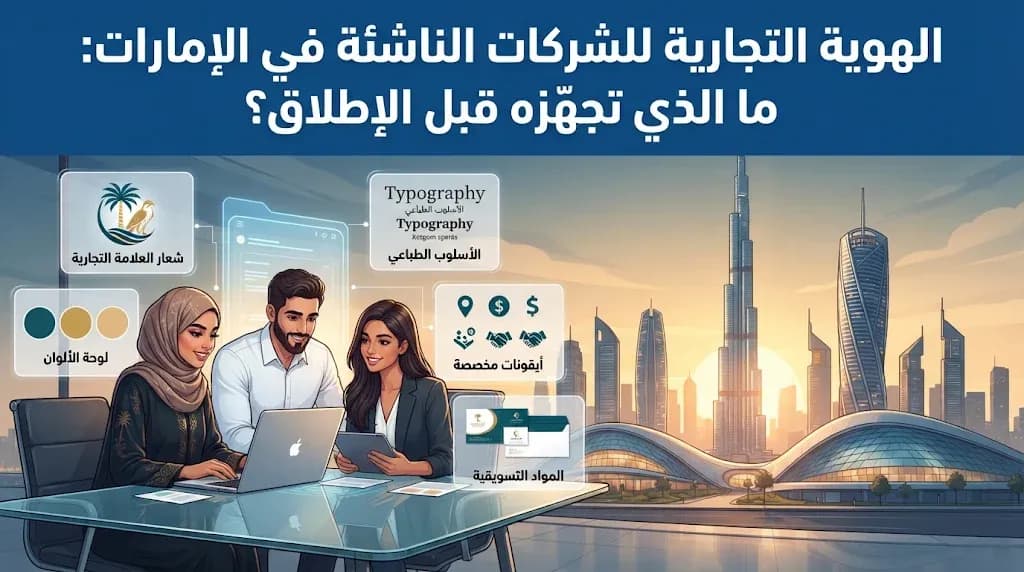
Many founders in the UAE treat branding as something to sort out once the product is live. In practice, the identity is already working the moment your app reaches the store or your website goes online: it is on the icon, the login screen, the first Instagram ad and the invoice your first customer receives. Fixing it after launch means redoing all of those at once. This guide walks through what a startup should have ready before launch day, and in what order.
What a launch-ready identity actually includes
A logo on its own is not an identity. Think of the identity as a small kit that lets anyone, from your developer to your ad agency, produce material that looks like it came from the same company. At launch, that kit usually holds:
A checked name that works in Arabic and English.
A logo family: a full version, a compact mark for small spaces, and single-colour versions.
A colour palette with exact values for screens and print.
Typefaces for Arabic and English that feel like they belong together.
A voice: how the brand speaks to customers in both languages.
A short brand guide that writes all of this down.
Step 1: Lock the name before anything else
Designing a logo for a name you later lose is the most expensive mistake on this list. Before any design work, check that the name is free in the places that matter for a digital business:
As a trade name in your emirate or free zone.
As a domain, ideally both .ae and .com.
As handles on Instagram, TikTok, Snapchat and the other channels you plan to use.
In the App Store and Google Play, where two apps with near-identical names confuse users.
In existing trademark records, so you are not building on a name someone else already protects.
Then say the name out loud in both languages. Some names that look clean in English become awkward in Arabic script, or carry a meaning you did not intend in Gulf dialect. Ask a few people from your target audience before you commit.
Step 2: Design for two scripts and small screens
In the UAE, your logo will appear next to Arabic text and English text, often on the same screen. The strongest results come when the Arabic and English versions are designed together as a pair, with balanced weight and height, rather than adding an Arabic word under a finished English logo.
The second test is size. Your logo's toughest job is the app icon and the browser tab, where it may be only a few pixels wide. A compact mark that stays readable at that size, on both light and dark backgrounds, is more useful than a detailed illustration that only works on a billboard.
Step 3: Colours, fonts and voice
Colours
Pick one main colour that people will associate with you, then two or three supporting colours for buttons, backgrounds and highlights. Record the exact values for screen and print so every supplier uses the same shades. Check that text placed on your colours has enough contrast to be read easily, especially on mobile in bright sunlight.
Typefaces
Choose an Arabic font and an English font with a similar character: both rounded and friendly, or both sharp and formal. Confirm the licence covers web and app use. You may need one font for headings and another for body text.
Voice
Decide whether you sound formal or relaxed, and whether your Arabic leans to Modern Standard or to a lighter Gulf tone. Then write a few real samples in both languages: a welcome screen, an order confirmation, a reply to a complaint. Write the Arabic as Arabic, not as a translation of the English. This is closely tied to how your app reads in right-to-left layouts, which we cover in common Arabic RTL app mistakes.
Step 4: Make it work on screens first
For most startups today, the first place customers meet the brand is a phone. Before launch, confirm that you have:
An app icon that follows App Store and Google Play guidelines.
Store screenshots and a feature graphic in your brand style.
Dark-mode versions of the logo and key colours.
Templates for social posts, stories and ads, including simple motion for video.
Layouts that work in both right-to-left and left-to-right directions.
Print items such as business cards, invoices and quotation templates can follow the same rules. Signage, packaging, uniforms and vehicles can usually wait until the business has proven itself.
What you should have in hand at the end
Item | Why it matters |
|---|---|
Vector source files (SVG, PDF or AI) | Let any designer resize or adapt the logo without quality loss. |
PNG exports in colour and single colour | Ready for daily use in documents and social media. |
Full logo and compact mark | Cover both wide spaces and tiny ones like app icons. |
Brand guide | Sets spacing, minimum sizes, colours, fonts and incorrect uses. |
Written confirmation of ownership | Makes clear the design belongs to your company. |
Ownership deserves special attention. The same principle that applies to your logo applies to your app's code and store accounts. Read more in who owns your app's code after delivery.
Protect the name: register a trademark
Reserving a trade name for your licence is not the same as registering a trademark. The trade name lets you operate; the trademark protects the name and logo from being used by others in your category. Run a search for similar marks, then file with the relevant UAE authority, ideally before you spend heavily on ads and printed material. If you plan to sell in other GCC markets, ask a legal specialist how to extend protection there.
Mistakes we see most often
A logo so detailed it turns into a blur at icon size.
Arabic and English fonts that look like two different companies.
Only receiving JPG or PNG files, with no source files.
No brand guide, so every new freelancer interprets the brand differently.
Printing signs and packaging before the name is checked and protected.
How MetaGate handles identity in app and website projects
At MetaGate, identity and UI/UX design are part of every app and website project, not a separate service. When we build your app or site, we start with a project study, then shape the logo, colours and typography alongside the interface itself, so the brand is designed for the screens it will actually live on. You receive the source files, and as with the code, the work belongs to you. Since 2020 we have launched more than 250 websites and more than 100 e-commerce stores; you can browse some of the work in our portfolio.
Next step
If you are preparing to launch an app or website in the UAE, book a free consultation with a business development expert. We will review your idea, your current branding if you have any, and what the project needs to be ready for launch. Start with our website design service or explore app development options.